
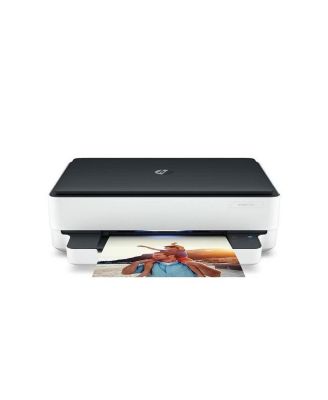
HP8QQ97A-B1H ENVY 6075 All-in-One Printer
HP8QQ97A-B1H ENVY 6075 All-in-One Printer
Product details
Web ID: 1547037335 reviewssorted by Newest
Nifty!
Set up went fast. Boot-up quick compared to previous HP. I tried it! I like it!
Customer review from hp.com
Got just what I wanted.
Easy to setup, easy to use, excellent printing, HP Smart is easy to use and has everything in one place. Not sure what more I could have asked for, especially at the price.
Recommends this product
Customer review from hp.com
Prints B&W and color from a Mac.
Very very happy.
Recommends this product
Customer review from hp.com
Bad scanner
I bought this printer so I could scan easily and I cannot figure out how to scan. The app necessary is difficult to manage
Customer review from hp.com
Like but not obsessed
I upgraded my old HP printer to this and while I do like it I wish it printed a little faster. It always feels like I’m waiting forever. Other than that it was easy to set up and easy to use. I love the option to print front and back which my old printer didn’t have.
Recommends this product
Customer review from hp.com
Printer
Excellent . The only small issue i have is that the printer has the power switch at the back.instead of in the front with the other controls . ( Just a personal preference )
Recommends this product
Customer review from hp.com
Bring back the Envy 4500
The slowest printer I have ever owned. It's temperamental, and prints a test page every time you change paper. Completely useless. Will not buy HP again
Customer review from hp.com
Response from hp.com
Hi there. I’m sorry to hear that your printer has rendered prints so slowly. It’s easy to understand why that would be an unwelcome surprise with a new device, especially considering your previous HP printer performed better for you. I want to help you remedy this problem. I hope the resources I’ve listed below guide you to that end. First, I recommend that you follow a guide on our support site that covers improving print speed. Find that guide here: - support.hp.com/us-en/document/ish_2817150-2408088-16 Also, updating the firmware can often help improve print speed and other performance. You can find out how to do that here: - support.hp.com/us-en/document/ish_1776648-1643972-16 If print speed does not increase to your satisfaction, I suggest that you contact us directly at +1 800-474-6836 so we can help you assess what’s happening and find the best course of action. To expedite the process, I recommend gathering the following information before the call: - Model number - Serial number - Your location - Case number (from any previous contact with HP support) Keith HP Care hp.com/support
Great printer
This printer was very easy to set up-especially for a person not tech savvy. The printer itself besides easy to use also does a great job printing.
Recommends this product
Customer review from hp.com