
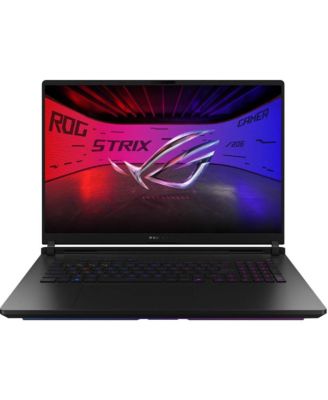
ASUSROG Strix SCAR Gaming Laptop (Ultra 9- 275HX, 32GB, 2TB PCIe SSD, 18 (2560x1600), RTX 5090, Win 11 Pro)
Product details
Web ID: 2353943015 reviewssorted by Newest
Expensive equipment with not much of value
Just ok. I got the top of the line model in October 2025 with 96GB RAM, and RTX5090 GPU. With this much of supposed power my experience of this system is just ok. It takes about 25 seconds to start from cold start. Also it’s just ok with other post production activities on 20MB picture files to be worked in Lightroom. I am not impressed after spending thousands and thousands on it.
Customer review from https://www.asus.com
The rgbs and back lights stands out from the rest
Its an awesome beasr of laptop battlefield 6 is picture perfect
Customer review from https://www.asus.com
FAST AND POWERFUL
Excellent laptop, I recommend it 100%, it's a jet, fast and powerful, very happy with my purchase
Customer review from https://www.asus.com
Great laptop even better performance. Small issue.
Great laptop and even better performance. Upgraded from the G634JY with a 4090 and this is a huge upgrade compared to it. My only complaint is that it is not eligible for elite rewards for some odd reason, the other devices in the series are (G835LR- 5070ti and G835LW- 5080). Seems like an odd choice so hopefully it's a mistake
Customer review from https://www.asus.com
Has issues
Blue screen crashes. This is the second one I bought in the last month. Both having BSOD crashes. This laptop had BCOD ome min into the setup. I am hoping all the updates fixed it.
Customer review from https://www.asus.com
Response from https://www.asus.com
Dear Judee, Thank you for your comment. We do understand your disappointment with the laptop and the inconvenience this may have caused if you are experiencing Blue Screen Of Death. To resolve this, ensure Windows, drivers, BIOS and applications are up to date. Updates for this laptop are posted at: https://rog.asus.com/us/laptops/rog-strix/rog-strix-scar-18-2025/helpdesk_download/. Keeping the laptop updated will maintain optimum system stability and performance. If problem persists after doing the troubleshooting tips, Windows is possibly corrupted. To resolve this, try to perform a Cloud Recovery. For helpful tips on how to run a Cloud Recovery, visit our Product Support page at: https://www.asus.com/support/faq/1047855/. If these steps were performed to no avail, please try to run a diagnostics or optimization test using the "My ASUS" utility software or application. If this is not pre-installed on the laptop, please download the application at the Microsoft Store. For details on how to use "My ASUS", please go to: https://www.asus.com/support/FAQ/1041686/. If you need further assistance with the product, please email me at cl-rodel@asus.com and I would be more than happy to help. Or, you are most welcome to call Product Support Hotline at: 1(888) 678-3688. Also, you can chat with an ASUS live support agent from the link: https://www.asus.com/us/support/article/1135/. Thank you for choosing an ASUS product. Regards, Rodel ASUS Customer Loyalty
Power House
Handles AAA gaming with a breeze. No issues running the latest release of BL4 while other PCs struggle.
Customer review from https://www.asus.com
Excellent product, recommended
Amazing product, very stable, high definition screen, and powerful performance, definitely a mounster for AAA games
Customer review from https://www.asus.com
Worth it
Fantastic performance seems to just eat up every game I toss at it
Customer review from https://www.asus.com