
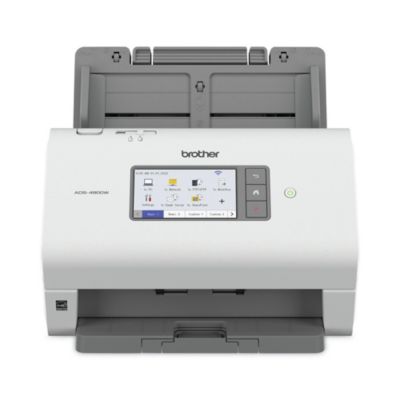
BrotherADS-4700W 600 DPI Optical Resolution 80 Sheet Auto Document Feeder Professional Desktop Scanner
Product details
Web ID: 2596975221 reviewssorted by Newest
Difficult to use!
This product is so difficult to set up. I have spent nearly 8 hrs trying to connect my google drive to it. With the Epson Receipt Scanners I was set up in a few minutes. I haven't been this frustrated with a product in my life.
Customer review from brother-usa.com
Response from brother-usa.com
We understand you're experiencing issues setting up your Brother ADS4700W machine. We'd like to help. Please contact our Customer Service department and we will work with you to resolve these issues. Brother Customer Support Team is available to assist you direct: www.brother-usa.com/brother-support
I liked my old one better
I didn't like it. It chewed and skewed by papers. Sent it back and bought refurbished ADS-2800W
Customer review from brother-usa.com
Pretty good desktop scanner
Overall, it's pretty good. In feed oftentimes folds corners of smaller items, like receipts; should have better infeed paper guides. When turned on, it takes some time to sync up with the network. Software a little cumbersome. Too many utilities to tweak settings. All in all, after making time investment to wade through all the software settings, pretty good so far. Ask me again in five years.
Customer review from brother-usa.com
Perfect portable scanner for letter/legal size doc
I purchased this to bring with me to signing jobs (I'm a mobile notary), as some contractors require scanning signed documents and uploading them to platforms before leaving the signing table. Saves lots of time and effort if they can be reviewed before shipping the hard copies. Works great.
Customer review from brother-usa.com
Good scanner but problematic document feeder
Fast scans but MANY problems with ADF. Very good quality scans but document feeder very problematic with more than one page, even as few as 3 or 4 pages frequently "jam" causing frustration.
Customer review from brother-usa.com
Response from brother-usa.com
We understand you're experiencing document jam issues with your Brother ADS-4700W machine. We'd like to help. Below is a FAQ that may help you with this issue: https://help.brother-usa.com/app/answers/detail/a_id/182293 If you continue to have issues, our Brother Customer Support Team is available to assist you direct: www.brother-usa.com/brother-support
Great for business
This is a really great scanner. Definitely a business style scanner. Scans at 40ppm, so scans really fast. The screen is large enough to not have a hard time navigating the menus. Set up is really easy and comes with a lot of drivers support. Would definitely recommend for any business that needs to save documents digitally to not take up space.
Recommends this product
Customer review from brother-usa.com
So it easy my parents can use it
So this is easy to setup and use. I've had no issues with the image quality or file types. I've been able to condense down my tax paperwork easily. My parents have even been able to use this to scan their documents.
Customer review from brother-usa.com
Works ok when it actually works
This thing is a pain to use. if you put more than one sheet in at a time it feeds two or more at the same time and errors out. So I have to take the paper and lay it out a piece at a time fanned out so it won't grab more than one sheet, but then half the time it tells me there's no paper in the feeder. If I let go of the fanned papers to let them fall into the feeder properly it starts grabbing more than one sheet. I got this to be a time saver, but it takes an eternity to get my scanning done because of all the errors. I absolutely recommend you find something else.
Customer review from brother-usa.com
Response from brother-usa.com
Thanks for taking the time to review your experience with the Brother ADS4700W. We appreciate your feedback. I’m sorry to hear that you are having No Paper Error issues with the Brother ADS4700W. I sincerely apologize for any inconvenience this issue may have caused you. We’d like an opportunity to help. Please contact us directly at: https://www.brother-usa.com/support/ADS4700W Below is an answer link to the Manual for the Brother ADS4700W with a few key answers, to try. Answer Link: https://support.brother.com/g/s/id/htmldoc/ads/cv_ads4300n/use/html/search_result.html?c=us&lang=en&prod=ads4700w_us_eu_as&KEY=Paper&KEY_ORG=No%20Paper