
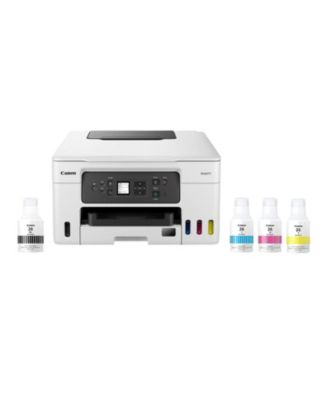
CanonMaxify GX3020 Wireless Versatile MegaTank Compact All-In-One Color Printer
Product details
Web ID: 19170631Nice, but....
I like the printer except for that tiny, barely readable screen. It is so frustrating to try to read that thing.
Customer review from canon.com
Good but not great
Good. Seems to be good on ink use as well. I'm not happy that it doesn't have an auto-ON feature like our last Canon printer. We spent a lot of $$ on this printer not to have that feature. Now we have to get up and turn the printer on in order to print.
Recommends this product
Customer review from canon.com
High ink consumption
Printer is fine but for one huge problem. This printer eats ink; in the first month I have printed 82 pages of mostly black text and the color inks are already 25% depleted and the maintenance cartridge (waste ink) is approximately 2/3 full. If this continues I will be seeking a return and refund from Canon.
Customer review from canon.com
Big Flay
This printer comes with a major flaw. It comes with the "auto off" function turned on. When it isn't used for a while instead of going to sleep like my other Canon printers, it turns all the way off. Then it takes a couple of minutes to start up. This might seem like a small thing but it makes the printer much less useful. Who wants to wait two minute while the printer cogitates?
Customer review from canon.com
Great printer, high quality print, but...
Great printer, high speed and quality print, but it was a bear setting up network connectivity. And I'm reasonably knowledgeable about networks and connectivity. The initial PC connected easily, just as the software directed. The next two machines, not so much. The installation software kept wanting the 1st machine removed from the network. I finally resolved the issue by not using the Canon software to install the printer on the other machines. I just used the standards Windows install. No where in the documentation or the Support database, that I could find, is this indicated.
Recommends this product
Customer review from canon.com
Missing a lot of features for the price!
Not worth the money. Screen is too small and there are certain settings that you can only do via the small screen. Can't adjust contrast so hard to read due to the glare. The only way you can check ink levels is looking in the ink windows on the front. Black ink level is very hard to see as the window is black. There is no alerts you are or have run out of ink. Printed less than 1000 pages and black ink is gone! Not sure about the 6000 page claim. The only good thing I can say is the printing is crisp. Shopping for something else. Wont let me upload a picture.
Customer review from canon.com
do not buy
junk.. have to restart it everyday. then restart my computer. no directions just a start up page when unboxing.
Customer review from canon.com
TERRIBLE MACHINES DO NOT BUY
I have had several printers over the years but this has to be about the worst. I have 2 of these. I was excited about the lack of ink cartridges. These things will not print colors accurately. I have tried cleaning and deep cleaning the nozzles several times. If I print multiple copies, it may print 10 copies pretty good then the colors and gone and even the black is sketchy
Customer review from canon.com