
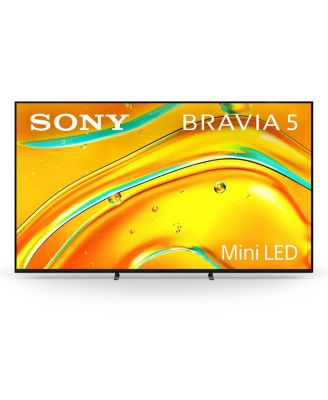
SonyBRAVIA 5 55" Mini LED 4K HDR Google TV (2025)
Product details
Web ID: 22996070Excellent picture & sound quality,
I have this TV a week now, I have put my preferred apps on it, very easy to use and user interface is easy to navigate, It's a little early to say how it's performing but up to now very good, the picture quality is excellent, the sound is good for a TV but through a sound bar it's amazing, there has been a couple of glitches, 1 is when in the avaliable section of the Sony picture core system it crashes and restarts, there is away around browsing this section but frustrating, I have turned off the timers so it wont turn off while no inactivity, but 2 twice in a week the TV has turned off while watching a movie, again frustrating, it could be new TV glitches but only time will tell.
Customer review from sony.com
Not good
I have to say that I have had this tv months now but to be honest it as been a load off rubbish I have been able to get in touch with you as I have had a load of problems with my body as in surgery two in chest one in forehead when I am up to it I will be in touch so please keep this to hand.TED SIMMONS THANK YOU.
Customer review from sony.com
Response from sony.com
Hi, Thank you for your feedback. We're sorry to hear that the K-75XR5 didn't meet your expectations. This is not the experience we aim to provide, as we continuously strive to deliver the best quality possible. And we hope you get well soon. Additionally, you can try the basic troubleshooting steps below, as they could help you with the issue: 1. Disconnect all externals (e.g., TV box, Ariel cable, HDMI cables, USB, etc.). 2. Unplug the TV from the mains and leave it for 1 minute, and then plug it back in. 3. Make sure the software is updated using this link: https://cutt.ly/UtTOfQmr 4. Remove the cached data: Press HOME, then select [Settings] → [Storage and Reset] → [Internal storage] → [Cached data] → then select [Yes]. 5. Connect the TV to another internet source (e.g., mobile hotspot) and test again. 6. In case the issue persists, perform a factory data reset by following the steps here: https://cutt.ly/otTOghKq Furthermore, if any further assistance is needed, you can contact us using this link: https://cutt.ly/heoRCkdW (Copy and paste the links in your browser). Menna @Sony Support UK
Exactly what it was described
Just purchased this TV have had a sony bravia for 8 years so it's in the spare room and the new bravia is in the living room..this is outstanding tv.
Customer review from sony.com
Beautiful picture quality
The colours and sharpness are outstanding ..and quality
Customer review from sony.com
Happy CJ
Recently bought a new Sony to replace an old one that broke down. This is a good replacement as I love Sony
Customer review from sony.com
Amazing Sony Bravia 5
This was a random purchase We were in need of my new TV and I decided to go and have a look . I was blown away by the colour definition and s Tessa ounds of the Sony Bravia range. There were many Models to choose from, I chose the Sony Bravia five as I wanted a 65 inch television And it was in my budget . It Fits perfectly on my living room wall Where I had A smaller Television . The Sony Bravia five Has many of the models above features Which allowed me to dip my toes into the world of Sony . I am super pleased And I'm looking to change my other TV to Sony Bravia
Customer review from sony.com
Excellent TV
Very happy with this TV which bundles with many great features
Customer review from sony.com
Need to sacrifice power saving for HD 4K
This Mini LED 4k TV replaced another Sony 26" Std LCD which had lasted aroun 13 years until it delevoped a fault. Getting to grips with the various setting on the new Mini LED is a chore, impossible to get the provided remote to turn on my BT box pro, just dosen't do it (the tv comes with 2 remotes just to confuse things further) Now, as far as 4K is concerned, it is necessary to by-pass any power saving options, as it comes out of the box the picture is no better than the old LCD model. Finally got to an HD picture by changing the settings, each change comes with a warining that the TV will use more power. So yes, it is HD, but don't expect it if yopu are power usage conscious! As for said provided remotes, I don't use them unless I need to change settings, I use the BT Pro Box remote, because this at least turns on TV, BT Box, and my Sony surround system in one go.
Customer review from sony.com
Response from sony.com
Hi, Thank you for your feedback. We’re sorry to hear that you're experiencing difficulties with your K-65XR5 and that you can't control your BT Pro Box with the provided remote. This is not the norm, as we strive to deliver the best quality possible. You can enable BRAVIA Sync control by following the steps here: https://cutt.ly/BtlAuRSV Please note that the voice remote controller comes with enhanced smart TV functionalities, including voice commands, which can be used to control various aspects of the TV and connected devices using the built-in microphone for voice control and the standard remote control includes essential buttons and more functions. You can learn more here: https://cutt.ly/htvdFyIN You can also find more about the functions of the remote controllers by following this link: https://cutt.ly/kr3e8F9j Regarding the picture quality, you can learn more about how to adjust the picture settings to match your preferences by following the steps at this link: https://cutt.ly/mtfcn5iR Additionally, you can turn off Power Saving by following the steps here: https://cutt.ly/KtY22y2b If you need any further assistance, do not hesitate to contact us using the details provided in the following link: https://cutt.ly/heoRCkdW (Copy and paste the link into your browser) Nadine @Sony Support UK