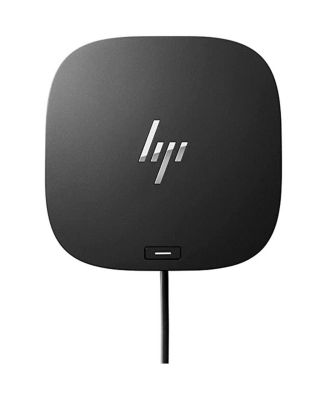
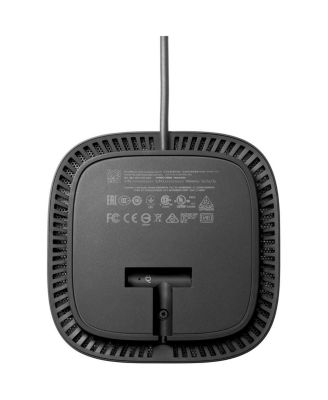
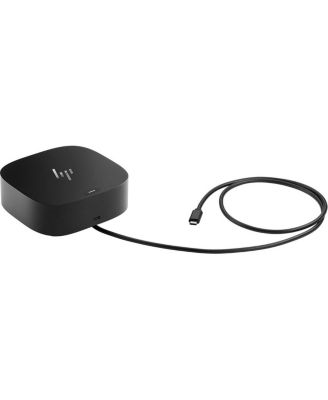
Consumer 26D32AA-ABL USB-C G5 Dock

Shipped and sold by Adorama
4 (286)
$189.99
Color:Black
Offers & perks
6-month financing with Macy's Card.

Product details

Web ID: 16841823
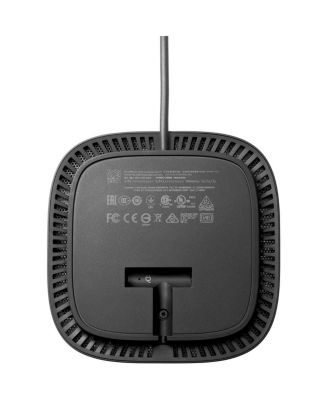
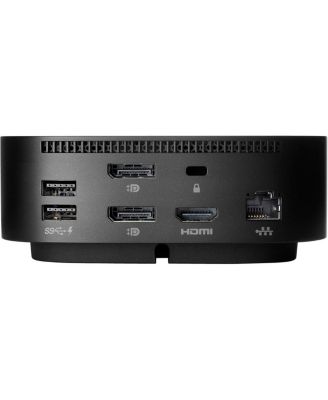
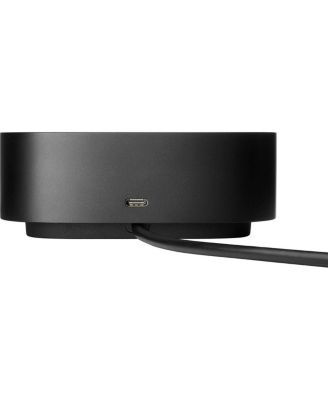
Get to work with the versatile, elegant, and space-saving HP USB-C Dock G5. Compatible with HP laptops, MacBook computers, and other notebooks ( 2), this USB dock is great for organizing your desk with its small footprint and single-cable set-up.
  • Product Features

    • Whether it's displays or other electronic accessories, your universal dock will assist with charging, data transfers, and networking between devices.
    • ( 1) For USB-C functionality, host PCs must support the DisplayPort Alt mode protocol through its USB-C port. Thunderbolt-enabled notebooks will function at USB-C speeds.
    • Charging and port replication is supported on notebooks that have implemented USB-C industry specifications.
    • Power button to turn on or wake the system, Wake-on LAN from warm and cold dock, Wake-on LAN from S4/S5, and MAC Address Pass-Through in S0, S3, S4, S5 warm and cold dock features only function on HP or HP-supported notebooks.
    • (2) Based on HP internal testing on select non-HP notebook models compatible with USB-C industry standards. Certain Alt mode features are not supported, such as power button, MAC Address Pass-Through, Wake-on LAN, and OOB Wake on LAN.
    • Wipe clean
    • Imported
  • Product Dimensions

    • 3.30
  • Shipping & Returns

    • This item qualifies for Free Shipping with minimum purchase! exclusions & details
    • Orders will not ship in Macy’s packaging.
    • Enjoy a longer window to return most of your holiday purchases. See our Extended Holiday Return Policy to see if this item qualifies.
    • This item may not be shipped to Alaska, American Samoa, Guam, Hawaii, Marshall Islands, U.S. Virgin Islands, Puerto Rico, Palau, or the Pacific Islands.
    • California and Minnesota customers call 1-800-289-6229 for Free Shipping information.
    • For complete details, see our Shipping and Returns policies.
    Your security is our number one concern.

    To report suspicious activity, please reach out to Macy's at 1-800-289-6229 or click here to report online.

Ratings & Reviews

4/5

286 star ratings, 167 reviews

Write a Review
64.3% of reviews have 5 stars
184
9.1% of reviews have 4 stars
26
7.7% of reviews have 3 stars
22
4.2% of reviews have 2 stars
12
14.7% of reviews have 1 star
42

3 customer images

167 reviews
G Vorobieff
10 days ago
from Sydney Australia

Great hub for stand up work station

Great hub and reliable, but a little pricy

Recommends this product

Customer review from store.hp.com

Dan_D
13 days ago
from Georgetown Tx

USB Dock/Power is very convenient

USB Dock/Power is very convenient and easy to setup your external devices (i.e. display, printer, et

Recommends this product

Customer review from hp.com

Don Mc
15 days ago
from Kent, WA

USBC G5 Dock

it does not work.

Customer review from hp.com

__Jeff
17 days ago
from Washington State

Does not work with shopping network HP laptops

If you purchase an HP laptop over TV shopping networks, the likelihood of this device working with your laptop is NOT!. I could not find documentation on the HP website on what docking station to connect my HP laptop. I read horror stories of folks trying to return this.

Customer review from hp.com

Snowman987
22 days ago
from Harrisburg PA

Nice Docking Station

I liked the dock but I seemed to develop some intermittent connection issues with my wireless HP Printer so I decided to return it as I can get buy without it.

Customer review from hp.com

JOHN QUANN
26 days ago
from DELAWare

VERY GOOD

I WILL RECOMMEND IT TO ANYBODY.

Customer review from hp.com

External reviewer
1 month ago

haven't used it yet

Still getting the bloatware, adware etc., off my new omnibook X flip first so it's usable. lol!!

Recommends this product

Customer review from hp.com

Bob-in-NJ
1 month ago
from New Jersey

Works great

The dock works great. I love the fact that it also charges the laptop, so there's only one cord to plug in or remove. And the power button on the top of the dock turns the laptop on, which is very convenient. The size and shape can be awkward if space it tight.

Recommends this product

Customer review from hp.com