
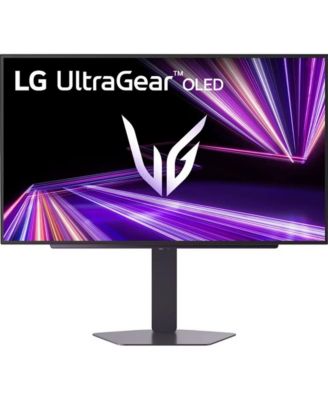
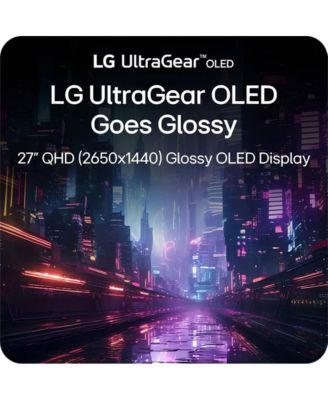


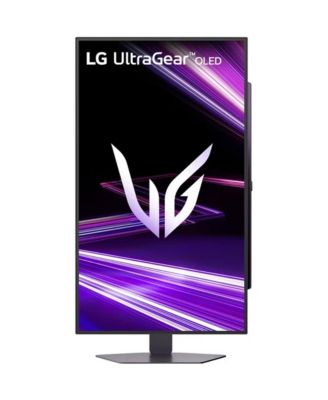
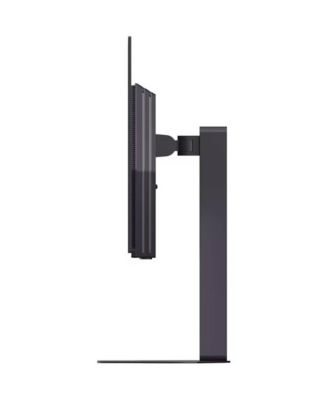
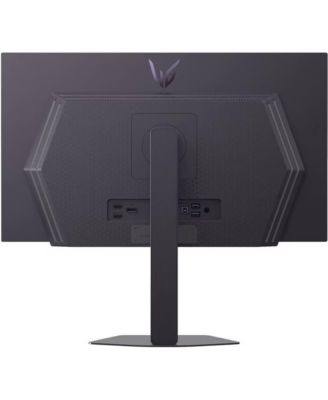
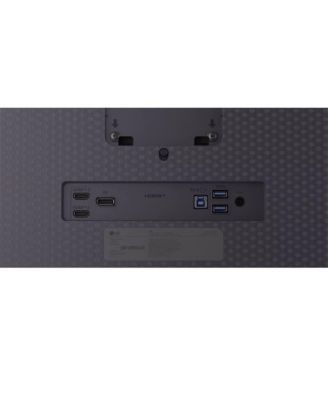
LG27-Inch Gaming Monitor OLED QHD 240Hz 0.03ms G-Sync Compatible – Black
Shipped and sold by Offer Express
$524.95
Color:Black
Size:27 inches
Offers & perks
44/mo.* suggested payments for 12-months totaling $524.95 with Macy's Card.
Product details
Web ID: 251685114 reviews
Hannah F
3 months agoAmazed at the vivid color and ease of setup!
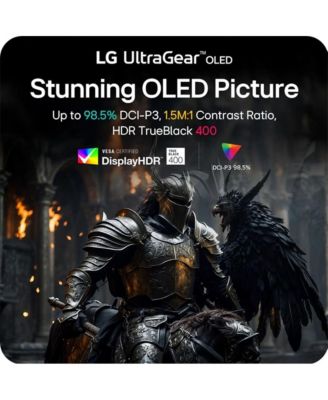
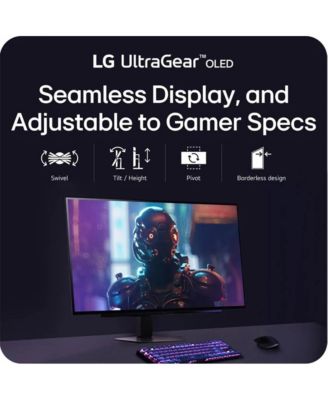
I just set up the LG UltraGear OLED 27GX704A-B and I’m already obsessed. It came in only three pieces and was incredibly easy to assemble—just a few minutes and it was on my desk. The adjustability is amazing too; you can raise the height and tilt the screen to perfectly fit your space. The color is vivid, bright, and super crisp, with true blacks and beautiful contrast. I chose this monitor for its response time and how well it handles dark scenes, and it definitely delivered. I can’t wait to see how it performs for gaming when my husband tries it, but I’m excited to use it for video editing and movie nights too. It was packaged really well, and I’m so glad after all my research that we went with this one! Review submitted as part of a program that provides a purchase discount.
Customer review from cohley.com
Response from cohley.com
LG3 months ago
Hey there, Hannah! Love the energy — sounds like your LG UltraGear OLED is already stealing the show! From the easy setup to the vivid colors and true blacks, it’s awesome to hear it’s hitting all the right notes for both work and play. We’re excited that you’ll be enjoying it for gaming, editing, and movie nights — that’s exactly the kind of versatility we aim for. For more feedback or questions, please send us an email at lgdigitalcare@lg.sprinklrsupport.com. Thanks for choosing LG! #LifesGood ^James
Goopmasterkush
3 months agoVivid
All I have to say about this monitor is just WOW! I had an LG 1440p 144hz nano IPS before and I got this as my main and its so much more vibrant! Amazing for gaming!
Customer review from lg.com
Response from lg.com
LG3 months ago
Hi, Steve! WOW indeed — love the energy!It’s awesome to hear your new LG monitor is delivering that extra vibrancy and making your gaming sessions even more immersive compared to your previous setup. Thanks for sharing such a glowing review — sounds like it’s a perfect upgrade for your playtime! For more feedback or questions, please send us an email at lgdigitalcare@lg.sprinklrsupport.com. Thanks for choosing LG! #LifesGood ^James
Metaphizix
3 months ago from Poland
Great monitor, but has one big flaw
This is a great monitor with a glorious glossy panel which makes the image clear compared to matte ones. It has a really big flaw though, which is an automatic brightness which cannot be disabled anywhere in the OSD. It bumps up the brightness when viewing bright content and dims when viewing dark content. It is very annoying and my eyes are very sensitive for such things. I have disabled Smart Energy Saving and Peak Brightness with no effect. I really hope that LG sees this and fixes with a Firmware Update. Please LG, I'd like to keep this monitor and don't have to deal with this auto brightness algorithm.
Customer review from lg.com
Response from lg.com
LG Digital Care Team3 months ago
Hi there, thank you for sharing your experience with the LG 27GX704A-B UltraGear™ Glossy OLED Gaming Monitor. We’re glad the glossy panel has impressed you with its clarity. Regarding the auto‑brightness behavior, try adjusting Auto Brightness under Picture Settings and ensure Dynamic Contrast is set to Off. You can also follow the step‑by‑step guide here: https://www.lg.com/us/support/help-library/lg-monitor-brightness-levels-changing-automatically--20153231419459. If the issue continues after these adjustments, please email lgdigitalcare@lg.sprinklrsupport.com so our team can assist further. #LifesGood ❤️ LG Digital Care Team ^Rich
27" LG OLED Monitor Review
I had been dealing with this old, clunky monitor that was outdared and ridiculously heavy. I needed an upgrade and I saw this LG UltraGear OLED specs that ticks all my boxes with high refresh rate and color accuracy I needed for both video work and technical design. First thing I noticed when I turned it on was how crystal clear everything looked. OLED just pops in a way my old monitor never did. I spend at least 3 hours a day on this thing sometimes more depending on the project. So, when I am working late nights editing videos or finishing up PCB layouts, it's easier on my eyes. Set-up was super smooth and took me less than 10 minutes from opening the box to running it. The base got easily snapped to monitor onto the stand and adjustable stand and plugged HDMI to my laptop and pretty sturdy and no wobbling. Coming from that old, heavy monitor to this felt like a massive upgrade instantly. Review submitted as part of a program that provides a purchase discount.
Customer review from cohley.com
Response from cohley.com
Love this upgrade story — it’s like going from a brick to a spaceship! Your old monitor definitely sounded like it had earned its retirement, and we’re thrilled to hear the LG UltraGear OLED stepped in and delivered exactly what you needed. That “OLED pop” moment never gets old, and it’s great to know it’s making those long editing and design sessions easier on your eyes. And a 10‑minute setup from box to brilliance? That’s the kind of smooth start we love to hear about. Enjoy the clarity, the speed, and the freedom from wobble — sounds like your workspace just leveled up in a big way. For more feedback or questions, please send us an email at lgdigitalcare@lg.sprinklrsupport.com. Thanks for choosing LG! #LifesGood ^James