
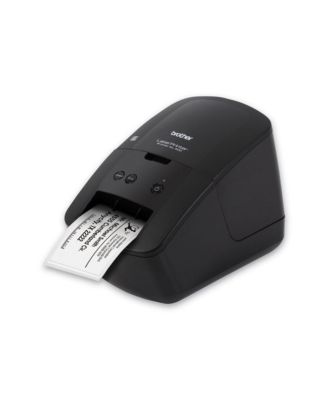
BrotherQL-600 5.1 in. x 8.8 in. x 6.1 in. 44 Labels/Min Print Speed Economic Desktop Label Printer
Product details
Web ID: 25954414Not user friendly
Have not been able to use it yet. My computer can't even find it
Customer review from brother-usa.com
Response from brother-usa.com
Thanks for taking the time to review your experience with the Brother QL600. We appreciate your feedback. I’m sorry to hear that you are having unable to print from computer issues with the Brother QL600. I sincerely apologize for any inconvenience this issue may have caused you. We can help with that. I have included a link to the FAQ answer that should assist you. Please follow all the steps listed in the following link: Answer Link: https://help.brother-usa.com/AgentWeb/api/contextmanager/v.32507050006/workspaceContext/workspace/processedPrint/Answer/173318 If you still have difficulties, please contact Brother Customer Service at: https://www.brother-usa.com/support/QL600
LABEL MAKER
The label maker is ok, but I liked the Dymo label maker that automatically allowed barcodes for zipcodes+4
Customer review from brother-usa.com
Almost perfect replacement
Almost perfect replacement for Seiko Smart Label.Printer. It is fast, clear and somewhat easy to use. The biggest problem is it does not make a fold-over label for file folders.
Customer review from brother-usa.com
Printer help
I cannot get the software to download properly. I cannot format the labels without the software. Need help. advise.
Customer review from brother-usa.com
Response from brother-usa.com
Thanks for taking the time to review your experience with the Brother QL600. We appreciate your feedback. I’m sorry to hear that you are having issues with your Brother QL600. I sincerely apologize for any inconvenience this issue may have caused you. We’d like an opportunity to help. Please contact us directly at: https://www.brother-usa.com/support/QL600
It Works...
Does what it's supposed to with no drama... Replacing an older Brother printer, so all data moved over just fine.
Customer review from brother-usa.com
Not easy to use
Difficult to learn how to use the software. Cannot import the addresses in from my Outlook contacts
Customer review from brother-usa.com
Response from brother-usa.com
We would like to take this opportunity to thank you for your feedback. At Brother, customer satisfaction is something we take seriously. We would love to hear from you with more details to be able to better assist you. Our Brother Customer Support Team is available to assist you direct: www.brother-usa.com/brother-support
I hope I convey how great this printer is.
This little item is a breeze to plug in and set up. I use it directly through USB on my PC. The main thing I wanted to mention here is I did not install the Brother editing software. Printer driver yes, software, no. The application I'm using lets you choose your printer (as is normal with all apps). I then create a custom paper size that fits the restrictions of this little label maker, and after a couple tests and edits, my template is saved. After that, click and print. Oh, I'd like to mention. Its thermal. No ink. No toner. It's ready almost immediately after power up. It will shut off on its own, probably to conserve its' heater. Printed labels are quick. To sum it up, this is one of Brothers best products. One last thing. My understanding is, any Brother label products with model QL will fit this printer.
Customer review from brother-usa.com
CAUTIOn - No Drivers avaible for new Apple.
Ths printer no longer works with Apple computers. Brother does not provied a Driver to use with newer Apple products. My QL-600 wioll now be used as a doorstop. I won't by anymore products from Brother.
Customer review from brother-usa.com
Response from brother-usa.com
Thanks for taking the time to review your experience with the Brother QL600. We appreciate your feedback. I’m sorry to hear that you are having Mac drivers issues with the Brother QL600. I sincerely apologize for any inconvenience this issue may have caused you. Please be advised, the Brother QL600 is compatible with macOS 26, macOS 15, macOS 14, macOS 13, macOS 12. We would love to hear from you with more details to be able to better assist you. Our Brother Customer Support Team is available to assist you direct: www.brother-usa.com/brother-support/QL600