
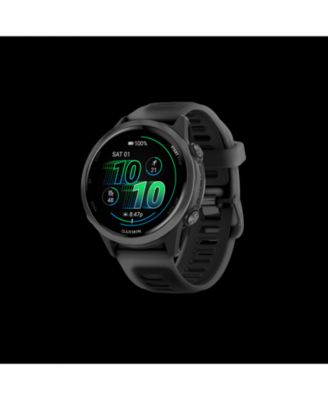
Garmin Forerunner 570 - 42MM
Product details
Web ID: 22802126Forerunner 570 - Former fenix 6s Pro wearer...
As primarily an endurance sports athlete, I find the Forerunner 570 a suitable alternative (and less expensive) to my fenix 6s Pro. In the 10yrs I wore my fenix 6, I strayed from the primary sports (swim, bike, run, walk, strength) only a few times. The forerunner 570 has that handled just fine.
Customer review from Garmin
I love my new watch
I became interested in running later in life in an effort to get in shape (and lose weight). I started running using just a simple fitness tracker (you'd recognize the "fitting" name). A friend who coaches runners told me to get a "real watch". I did some research and decided to buy the Forerunner 570. I set it up, added a few upcoming events and started a Garmin Coach Training program. I was impressed with the guidance the program gives me. I'm training according to the plan and my results are starting to show. I'm able to run 5 times a week, and the previous aches and pains have subsided. I highly recommend this watch for beginner and intermediate runners. You will not regret your purchase.
Customer review from Garmin
Love this running watch
My first ever smart watch. I wanted it for running as I train for a marathon. I’ve totally loved it! At first it did feel big and I had to get used to that part. Now I don’t notice it. The batter lasts about 6-7 days. I like being able to glance and mu wrist and see pace and heart rate. It has helped training to see stats and be able to shift and adjust to train better.
Customer review from Garmin
Intuitive, great features for swimmers
I bought this a month ago and I’m so glad I did. As a former swimmer returning after 10+ years of not swimming, this watch has single handedly helped me get excited again about the sport. The lap counting features, swolf, ability to time rest breaks, and compare past and current workouts is unmatched. I love the long-lasting battery (another reason I switched from a specific fruit brand product). I work in healthcare and the watch looks sleek and professional. Being a smaller woman, I was worried about the bulkiness on my wrist - the smaller watch face fits me well and I truly don’t feel like it’s cumbersome or irritating. I can’t wait to use some of the hiking and backpacking features this summer!
Customer review from Garmin
It does it all!!
I have been running for almost 3 years now, I first started running using my apple watch, and then last winter I noticed it would "die" if temps were too extreme (too cold or too hot) and that just wasn't going to cut it, so I bought my FIRST Garmin, used, from another runner in my community, that Garmin was 10 years old and tracked outdoor runs, and biking. Then I ran my second marathon & Boston Qualified and the tracking was a bit off on my Garmin so I knew I needed a newer version. Fast forward, I got the Garmin - Forerunner® 570 - 42mm and it has been an absolute life changer! I love it so much! It has so many features and records every sport imaginable! It is expensive, but worth the money!
Customer review from Garmin
Superior running data
Total upgrade - running data and garmin trainer are excellent.
Customer review from Garmin
Disappointed
Not compatible with Faceit app; complex to navigate basic features
Customer review from Garmin
Great watch
Upgraded from the forerunner55 and so happy I did. The screen is bright, battery lasts long and has everything else I love about garmin.
Customer review from Garmin