
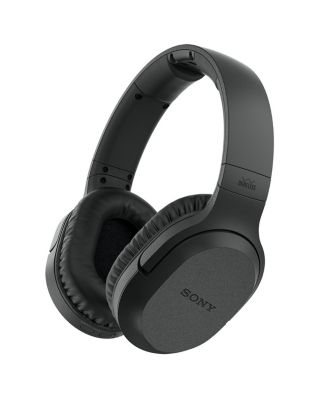
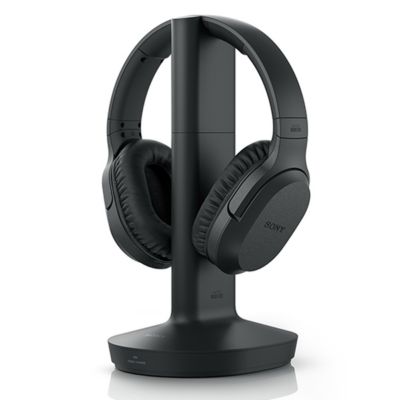
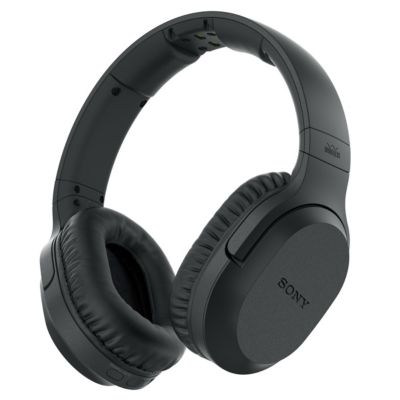

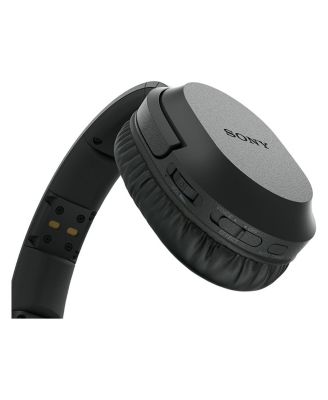
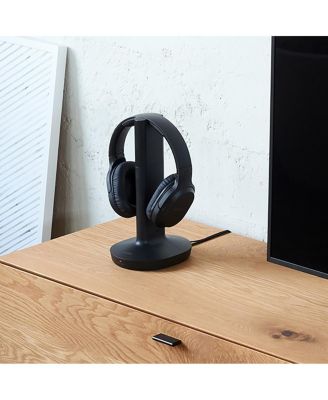
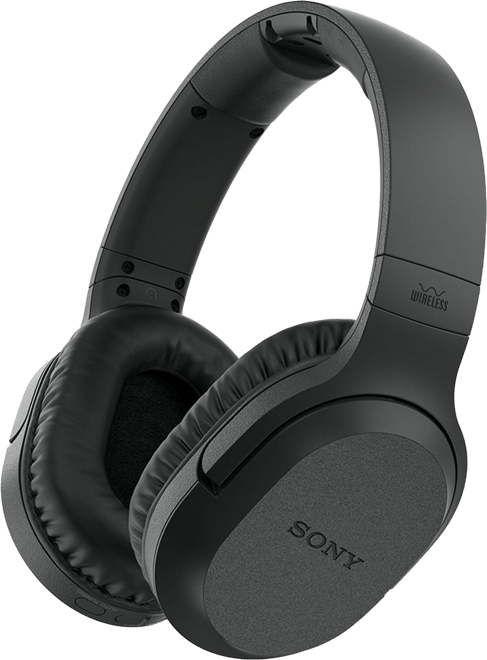
SonyWH-RF400 Wireless Over-Ear Home Theater Headphones (Black)
Shipped and sold by Focus Camera
$138.00
Color:Black
Offers & perks
6-month financing with Macy's Card.
Product details
Web ID: 16882446Complete the room
Pair it with
Look 1/6
















Item 1 of 6
88 reviews
NYDET7365
2 months ago from South Carolina
Don’t recommend these headphones
I bought this exactly 3 months ago . They worked for 2 months and now I hear sporadic static in them. I checked the connections , changed the batteries, checked the router ,checked the outlet ,and even bought new av cables from Best Buy. Nothing makes the static disappear . Very disappointed . I don’t have the box or the receipt so I can’t return them to Best Buy. I just want to exchange them. But I’m stuck with them. I thought SONY was a good brand to buy buyt highly disappointed.
Customer review from sony.com
Response from sony.com
Sony North America Customer Support2 months ago
Hi NYDET7365, We're so sorry to hear you’re dealing with that annoying static on your WH-RF400. It’s definitely frustrating when you just want to relax and listen to your shows, especially since you’ve already gone through the trouble of buying new cables and checking your setup. We'd love to help you get these working clearly again. Before we look into exchange options, please try these three quick steps: -Try using the headphones closer to the transmitter base. If that doesn't help, try moving the base to a different spot or a higher shelf. -Make sure the transmitter isn't sitting on a metal table or any large metal surface, as that can bounce the signal around and cause static. -Change the radio frequency: On the back of the transmitter base, flip the CHANNEL switch to a different number. Then, give the AUTO TUNING button on your headphones a quick press. This usually forces them to find a "cleaner" lane to talk to each other. If the issue continues after following these steps, we suggest contacting our technical support team for further assistance. You can find their contact information here: https://us.esupport.sony.com/support/s/support-contact?language=en_US&category=headphones Thanks for considering Sony and for bringing this issue to our attention. Warm regards, Estefany
Cindi Jean
4 months ago from Sacramento, California
Perfect solution for the TV viewer and quiet type
soo easy to hook up.. just worked right out of the box .. for my 83 yr old charges that I care for it is definitely a fight saver .. she loves her tv and wants it loud due to hearing loss.. he wants it quiet to conduct phone calls and get rest.. but they both want to be in the room together… viola a Sony solution.. thanks!!
Recommends this product
Customer review from sony.com
Response from sony.com
Sony North America Customer Support4 months ago
Hi Cindi Jean! Thanks for taking the time to write about the WH-RF400! We are really happy to hear they were so easy to hook up and worked right out of the box for you. It's fantastic that they've been a "peace saver" for the household. The WH-RF400 headphones are specifically designed for this kind of home use. They use a clear RF wireless transmission that gives you a wide range of up to 150 feet, so there’s no worry about losing the signal while moving around. Thanks so much for choosing Sony! Best regards, Estefany
Rome7777777
10 months ago from Detroit Michigan
CHRF400 OK except for Bravia 8 XR80 (no audio out
I was unable to use it because my new Bravia 8 K55XR80C 4K OLED HDTV did not have the correct output sound port for that headphone.
Recommends this product
Customer review from sony.com
Response from sony.com
Sony North America Customer Support10 months ago
Hi Rome7777777, thanks for sharing your experience with the WH-RF400 headphones. They've been designed for you to enjoy your favorite shows and music without any cables! And you're right, unfortunately the Bravia 8 TV does not have the compatible ports that these headphones require. But you can go for the WH-L600 headphones which do have either HDMI or Optical port and they can be easily connected to your Sony - Bravia 8. We hope you find this information useful. Thank you for choosing us! Regards, -Dominick
vietnam6970
12 months ago from Kingsport Tn
No instructions
I bought a pair of Sony Bluetooth headphones and I would like to let you know I really like them but you sure didn't waste any money on instructions. I am not a electronic geek and I have them working no thanks to Sony.
Customer review from sony.com
Response from sony.com
Sony North America Customer Support12 months ago
Hi vietnam6970, Thanks for feedback/comment. We're glad you like your Sony headphones. You can find the operating instructions in the link below : https://www.sony.com/electronics/support/res/manuals/4743/da265ba85491320863fd7b2651202bb7/47438071M.pdf Hope this helps. Regards, -Craig
Garrett9000
1 year ago from California
Headphones with a nasty habit
I bought these for my father for Christmas. They work well, but have a nasty feedback that happens randomly. The headphones would be a four out of five if they didn't have the feedback issue.
Customer review from sony.com
Response from sony.com
Sony North America Customer Support1 year ago
Hi Garrett9000, We are sorry to hear that you are experiencing issues with the WHRF400. We'd love to troubleshoot the issue and make this a better experience for you. May we contact you to help? If so, please email the below information to socialsupport@am.sony.com Apologies if you disclosed some of this information in your review and to customer service, we just want to ensure that we have your accurate details at the time of communication. Full Name: Username: Telephone Number: Model Number: Issue: Regards, Carl
winndixie
1 year ago from chuckey,Tn
great wireless headphones
good sound,comfortable fit,controls are well placed and responsive ; wish the ear cups were a little larger like my old Sony pair i'm replacing. Still i'm well pleased.
Recommends this product
Customer review from sony.com
Response from sony.com
Sony North America Customer Support1 year ago
Hi winndixie, Thanks for sharing your 5-star review and experience with the RF400 headphones. We're glad that you like the sound quality, comfort, and controls of the headphones. Your feedback about the earcup size is greatly appreciated. Thank you for choosing Sony! -Ralph
StueyG
2 years ago from Sault Ste Marie On Ca
excellent
Very comfortable, easy to adjust, not noise cancelling but sounds like they are.
Recommends this product
Customer review from sony.com
Studio use with electronic drums.
Work great. No detectable latency, which for a recording studio application is very important. The only thing is that I have to turn the headphone on and off again, sometimes 2 times for them to connect. A very small annoyance.
Recommends this product
Customer review from sony.com
Response from sony.com
Hi Riky g, Thank you so much for your great feedback! We're really glad to hear that your WH-RF400 headphones are working well for your studio and that you’re happy with the sound and low latency. If your headphones require a restart to connect, the issue likely stems from a power fault, a battery charging error or connection problems. Here are a few things you can try: -Make sure the AC power adapter for the transmitter is plugged directly into a wall outlet (not a power strip or surge protector) and that the other end is firmly connected to the DC IN jack on the transmitter. -Check that the rechargeable batteries are installed correctly and fully charged. If the headphones don’t turn on or the charging light goes off quickly, the batteries might need charging or could be faulty. -When charging, place the headphones on the transmitter so the charging pins touch properly. You should see a green light come on. If you don’t, try a different wall outlet. -If the battery is old or not holding a charge, replacing it with a new one can help. Sometimes battery issues can cause connection problems like the one you described. Should the issue persist after following these steps, we recommend reaching out to our technical support team for additional assistance. https://us.esupport.sony.com/support/s/support-contact?language=en_US&category=headphones Thanks for choosing Sony and for letting us know about this issue. Best regards, Estefany